Quiet invoicing
Get the invoice out, without the dread.
A native invoicing app for iPhone, iPad and Mac, with an Apple Watch glance. One plan covers every business you run, on every iPhone, iPad and Mac on your Apple Account.
Ochre Invoice turns the part of the job you keep putting off into a few calm minutes — one considered document, real tax built in, and nothing to sign up for first.
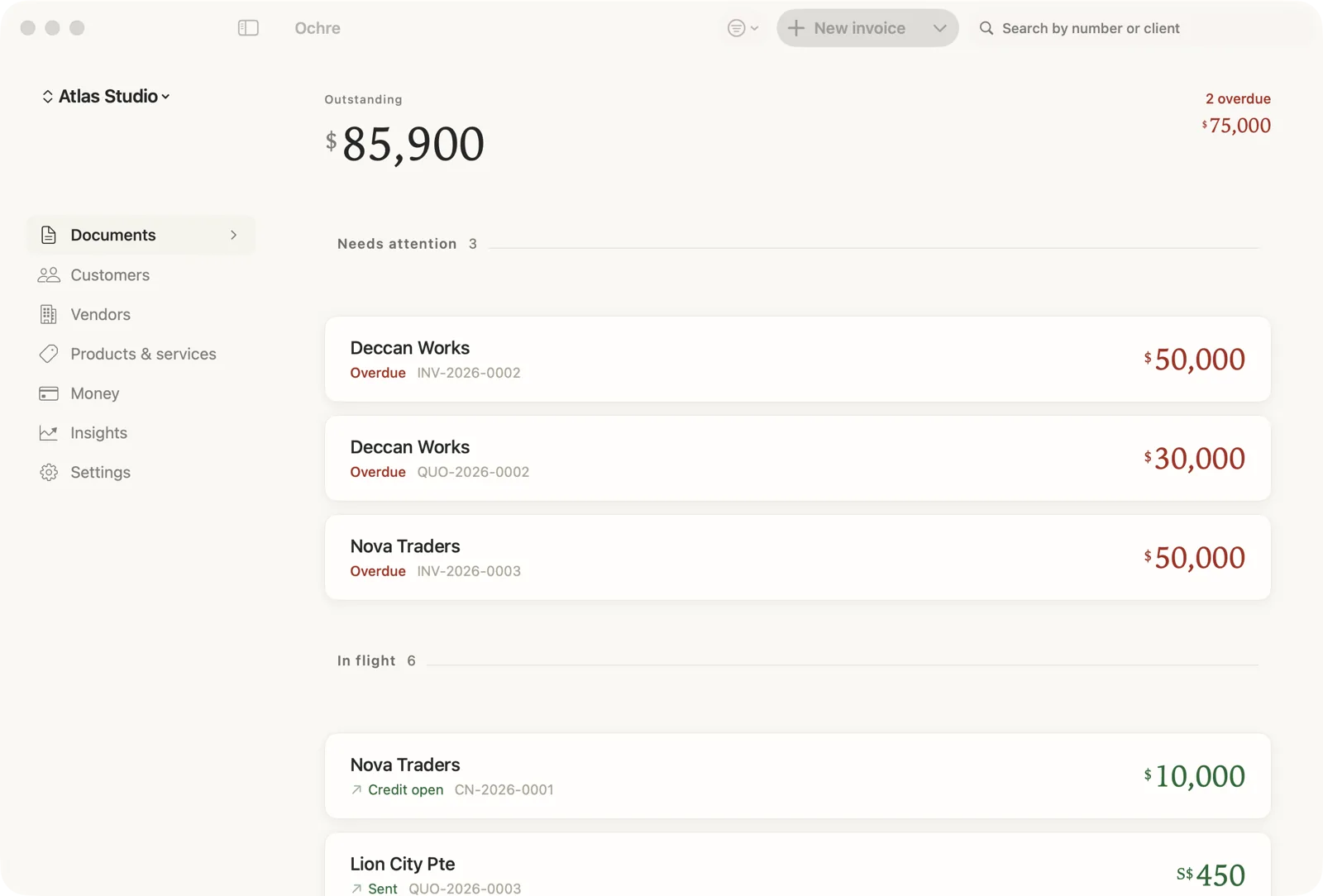
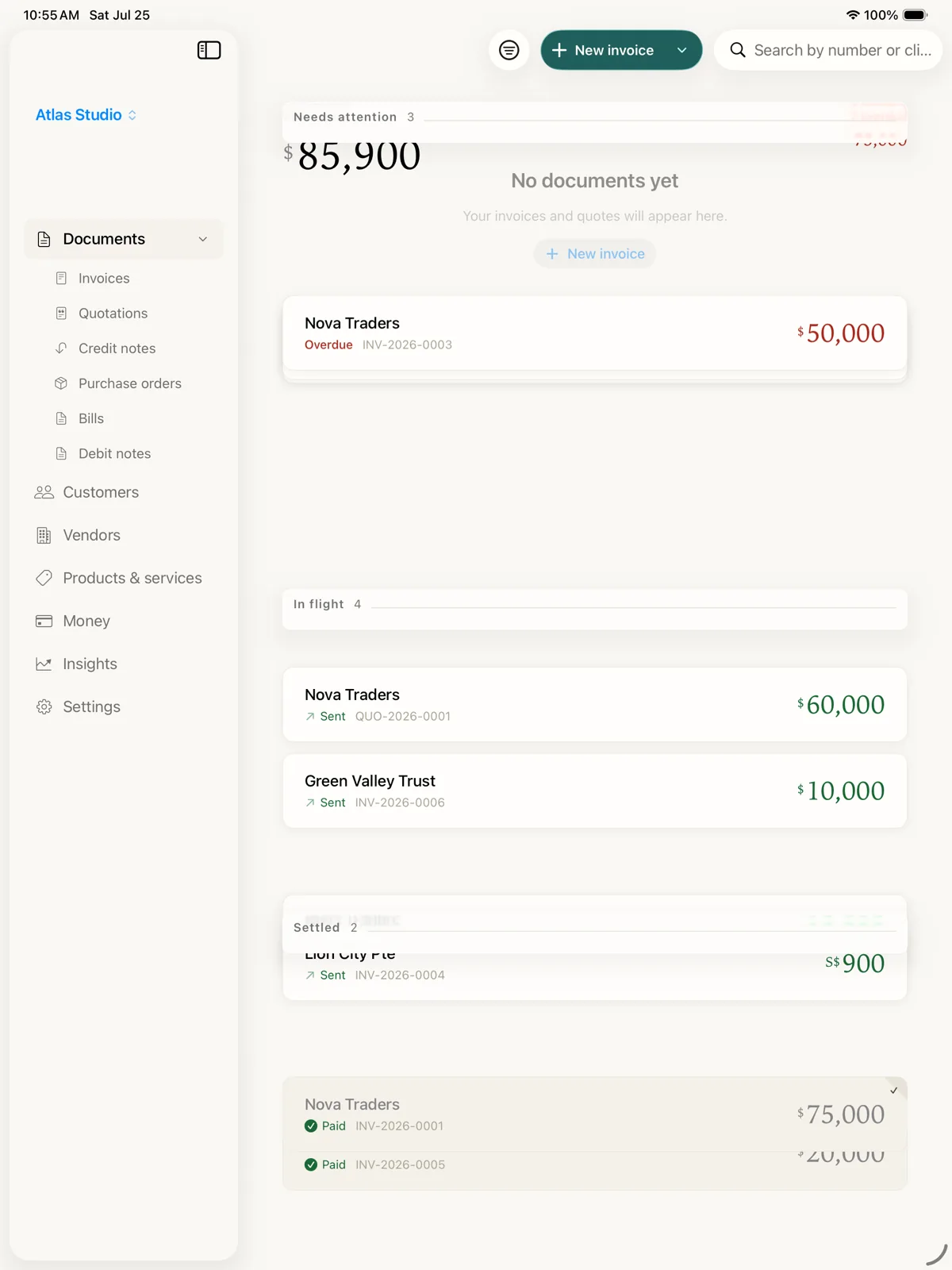
A working demo of the Ochre Mac app on invented data. It plays a short intro (a new invoice for Nova Traders, two lines, tax and total, issued as INV-2026-0003, the outstanding balance updating) and then the controls are yours: the sidebar switches between Documents, Customers, Vendors, Products and services, Money, Insights and Settings, the document cards open, the search field filters, and New invoice replays the composing. Press Escape to go back.
On the road
Left your Mac at home? Your invoices didn’t.
It’s on your Mac
The draft for your client sits on your Mac at home.
Open it on your iPhone
At the client’s, the same draft is already on your iPhone.
Change it on the spot
They want more work added. Change it, and the total updates.
Home again, it’s updated
Your Mac already shows the new total. Nothing to redo.
One plan. Every iPhone, iPad and Mac on your Apple Account.
With iCloud sync switched on and the same Apple Account on both. It goes through your own iCloud, never an Ochre server.
Why Ochre
Built around four ideas, not a feature list.
Per business
Run three businesses from one app and Ochre never blurs them together. Each keeps its own tax IDs, rates, branding, numbering, and wording — not one shared account wearing three names.
One price, every device
iPhone, iPad, and Mac with one Ochre Pro plan — $99.99 a year, or $299.99 once for Lifetime. Never priced per device, never priced per business.
Genuinely local-first
There's no sign-up screen. Open Ochre and you're already in — because there's no server to create an account on. Your books stay on your device. Turn on iCloud sync and they travel between your devices through your iCloud account — off until you switch it on, and it runs through Apple’s iCloud, never a server of ours.
AI that lifts the workload
Describe the job in a sentence and Ochre drafts the invoice. Point your camera at a receipt and it's a logged expense. It runs on your device — its whole job is to do the boring part, not to be clever at you.
Drafting from a sentence needs a device with Apple Intelligence. Receipt scanning works on every supported device; Apple Intelligence just makes it tidier.
What's inside
A quiet set of features, each one considered.
No sixty templates, no dashboard to learn — a small set of things done properly.
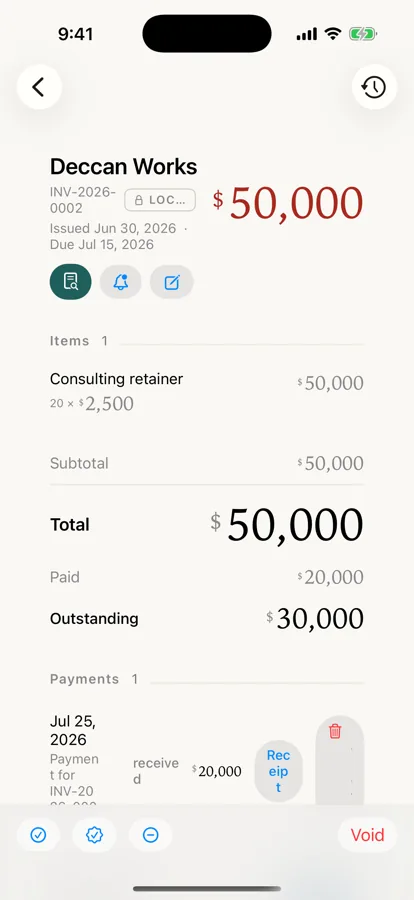
One considered document
Not a form with sixty templates — a single, well-set invoice. What you edit is what prints.
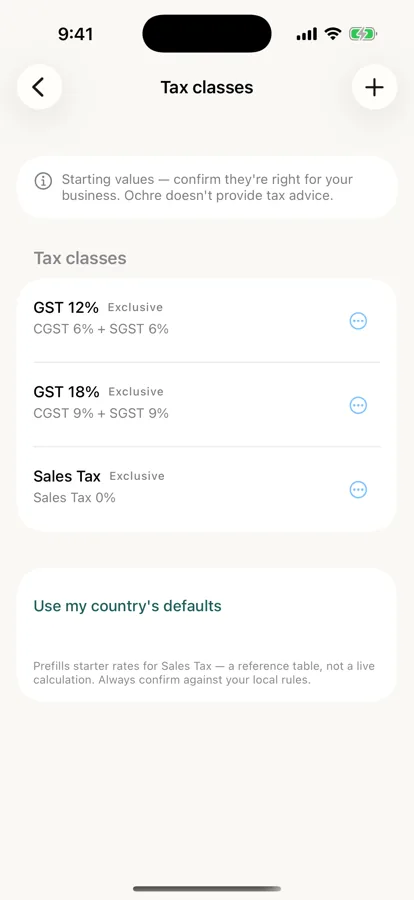
Real tax, worldwide
Turn tax on or off with one tap, in any country. Ochre suggests starting tax classes and rates for your market — you confirm or adjust them.
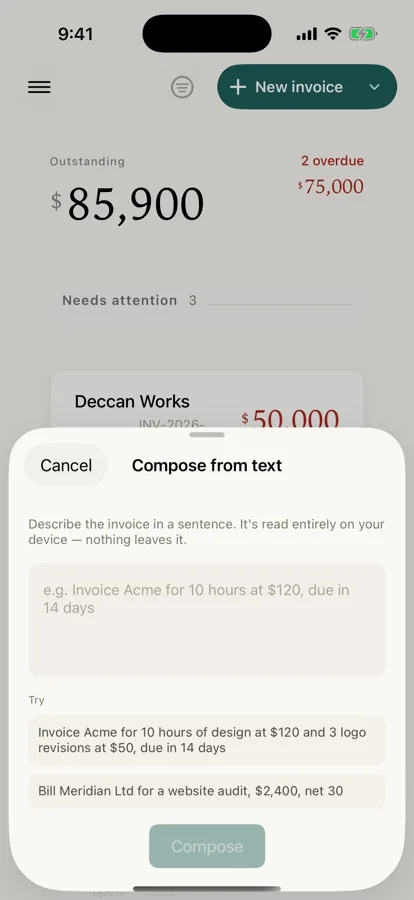
Type a sentence, get a draft
Describe a job in plain language and Ochre drafts the invoice — lines, amounts, due date. Runs on your device, on hardware that supports it.
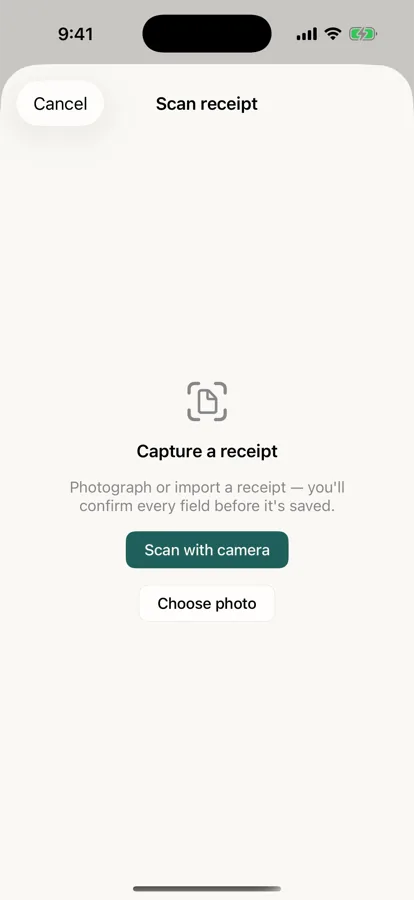
Snap a receipt, log an expense
Point your camera at a receipt. Ochre reads the vendor, date, amount, and tax, on your device, and logs it as an expense.
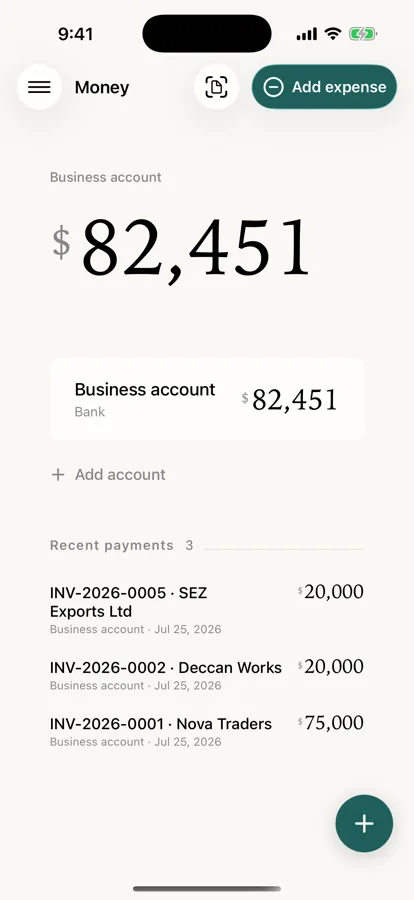
Get paid, quietly
Record a payment and the invoice settles — a quiet PAID stamp, nothing loud. Add a payment link and every invoice carries a scannable pay-online QR.
Made for Apple
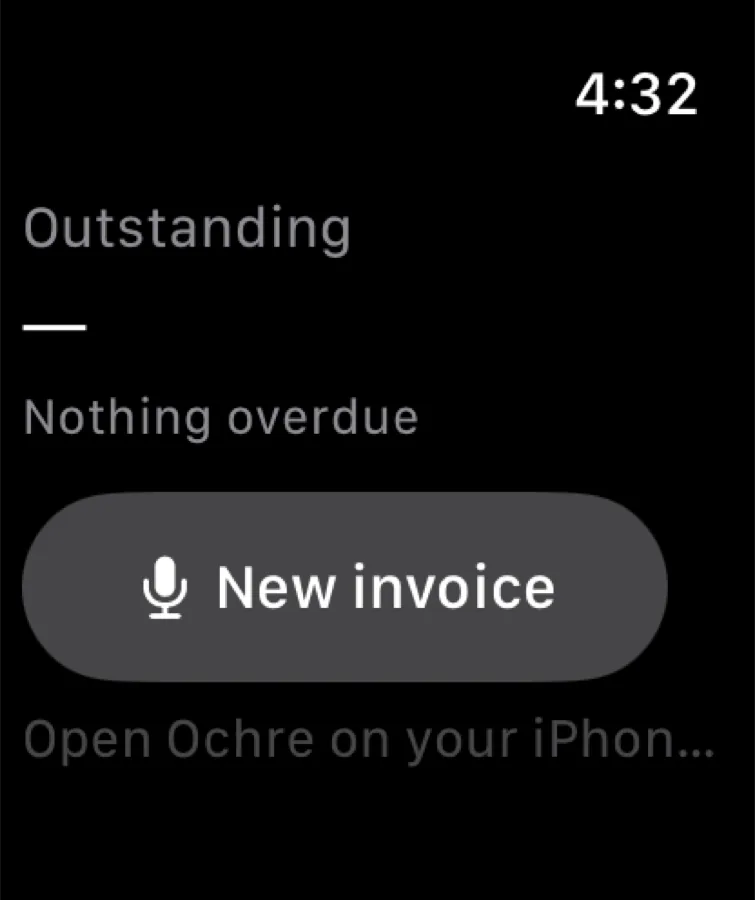
iPhone, iPad, Mac, and Apple Watch, with one Ochre Pro plan. Home Screen widgets, a watch complication for what you're owed, and Shortcuts support.
One plan
Every device on your Apple Account.
Shown at true relative size. The same books, the same businesses, no second licence.



You did the work. Getting paid shouldn’t be the hard part.
Ochre in numbers
One plan for every device on your Apple Account.
One Ochre Pro plan covers every iPhone, iPad and Mac on your Apple Account. It is never priced per device or per business. The rest, in four numbers.
-
1 plan. Every device on your Apple Account
iPhone, iPad and Mac on your Apple Account, and every business you run. Never per device, never per business.
-
20 markets. Tax packs, rates you confirm
Each pack carries a country’s tax classes and invoice rules. You confirm the rates for your business.
-
12 languages. The client’s language, your call
Pick the language per document: a German client can get an invoice in German. English is the default.
-
0 Ochre servers holding your books
Nothing to sign up to. There is no Ochre account and no Ochre server in the path of your data. Sync is off until you turn it on, and then it runs through your own iCloud.
iPhone, iPad and Mac · from $11.99 a month, $99.99 a year, or $299.99 once · US prices; local pricing varies
Why getting paid is the hard part → Late payments, in sourced numbers
Pricing
One plan. Every device.
Ochre Pro is one plan across your devices: it covers every iPhone, iPad and Mac on your Apple Account and every business you run, and is never priced per business. Issuing new numbered documents after the 7-day free trial needs Ochre Pro.
Free trial
7 days
On Pro yearly or monthly
- Every feature unlocked while it runs — not a crippled free tier
- Starts with Face ID or Touch ID, confirming the card already on your Apple ID — no card typed into Ochre, no account, no sign-up screen
- Nothing is charged for 7 days; it auto-renews into the plan you chose unless you cancel first
- If it lapses, your books stay yours — open them, export them, back them up. Only issuing new documents waits for a plan
Pro yearly
$99.99 / year
Saves 30% against monthly
- Every iPhone, iPad and Mac on your Apple Account, on one Ochre Pro plan
- Every business you run, at no extra cost
- All 20 market packs and 12 document languages
- On-device AI: compose from a sentence (needs Apple Intelligence), scan a receipt
Pro monthly
$11.99 / month
Cancel any time
- The same Pro, billed month to month
- Lifetime — $299.99 once, no trial, if you would rather not subscribe at all
Prices shown are the US anchor and are set per region by the App Store, so what you see at checkout is your own currency at Apple’s local tier. One Ochre Pro plan covers iPhone, iPad and Mac, and every business you run — Ochre is never priced per device or per business. Issuing new documents after the 7-day free trial requires Ochre Pro: a monthly or yearly subscription, or the one-time Lifetime purchase.
Prefer to own it outright? See how Ochre compares with FreshBooks and QuickBooks.
Compare
How Ochre compares.
Weighing your options? Each page sets Ochre beside an app people use today, as a dated, sourced fact table — and says plainly where that app is the better choice.
At a glance
Ochre in ten facts.
| Platforms | iPhone, iPad and Mac — native, not a web wrapper |
|---|---|
| Servers operated by Ochre | None. There is no backend to sign in to |
| Account required | No sign-up, no email, no password |
| Markets | 20 jurisdiction packs — each country’s tax structure and invoice rules; you confirm the rates |
| Document languages | 12, chosen from the client’s market |
| Sync | Optional iCloud, off by default, through your own Apple ID |
| Money arithmetic | Decimal throughout — never floating point |
| AI | On-device Apple Foundation Models; nothing is uploaded |
| Your data out | CSV, PDF, and a backup file you hold, locked when you give it a passphrase |
| Price | Free 7-day trial · $99.99/year · $11.99/month · $299.99 once |
Questions
The things people ask first.
Does Ochre work offline?
Do I need an account to use Ochre?
Where is my data stored?
Does Ochre sync between my devices?
I left my Mac at home. Can I change an invoice or make a new one on my iPhone?
What does Ochre cost?
Can I use Ochre for more than one business?
Which countries and tax systems does Ochre handle?
Can I get my data out of Ochre?
Is Ochre available on Android or Windows?
What does “local-first” actually mean?
Who is Ochre for?
Get Ochre
On the App Store.
Apple first — iPhone, iPad and Mac.


One Ochre Pro plan covers iPhone, iPad, and Mac. Ochre is built for Apple’s platforms; Windows and Android are a longer-term ambition, not a near-term promise.
Start now in your browser: the free finance tools make an invoice, estimate or receipt with nothing leaving your device — or browse invoicing rules by country.